
Casino Days Deposit Declined
A declined Casino Days deposit is almost always fixable within minutes. This guide covers every cause for Canadian players, from card blocks and Interac limits to voucher and crypto slips, plus the order to try each fix.
Welcome Package: 100% up to C$2,000 + 100 free spinsWelcome: 100% up to C$2,000 + 100 FS

Why a deposit is declined: the short answer
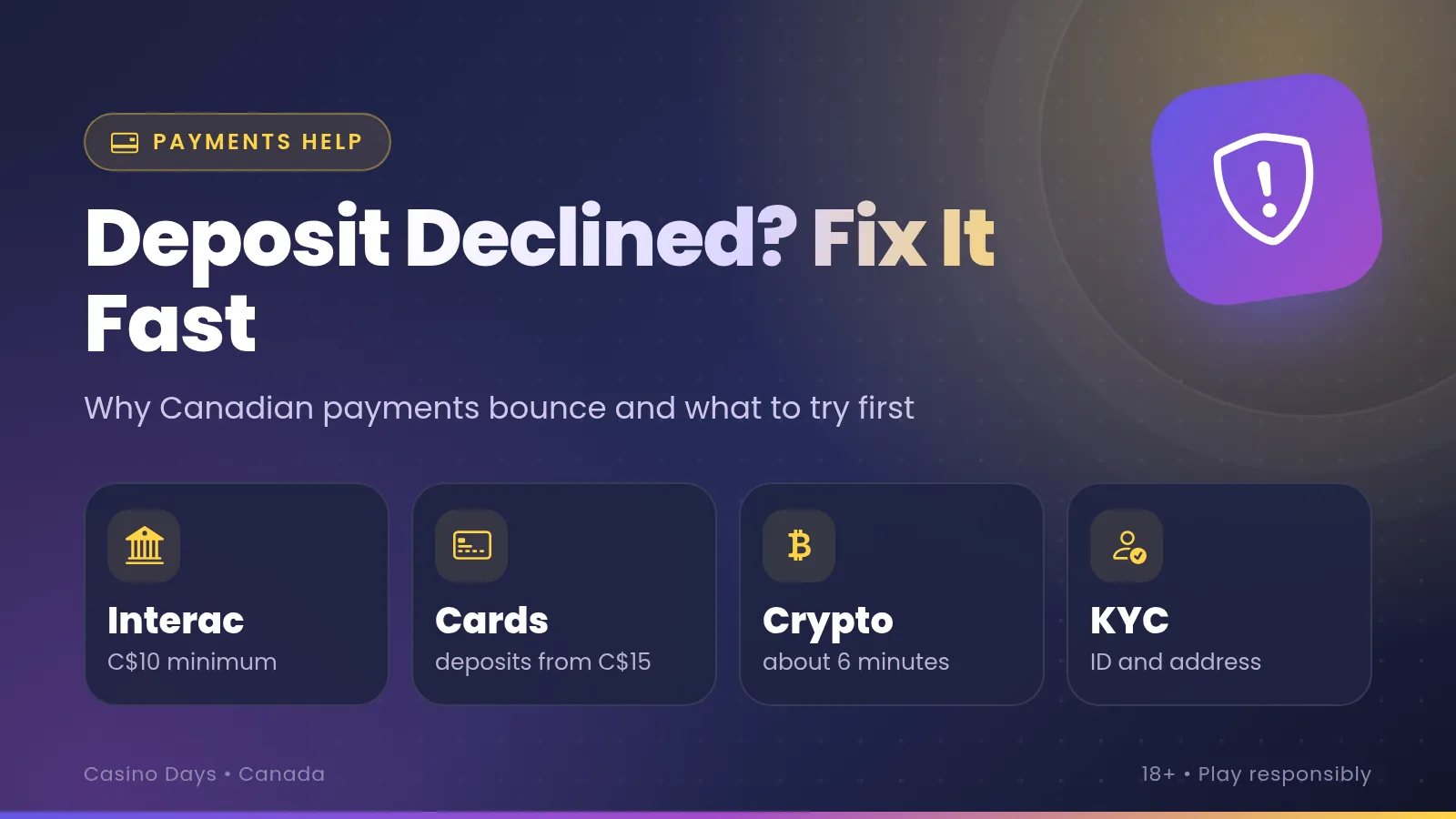
A Casino Days deposit is declined when something between you and the cashier says no. The usual culprits are your bank blocking a gambling payment on a card, an Interac or bank limit, a name that does not match the account, or an amount outside the method's limits. Check those four first, then work down the list below.
The four quick checks
- Is it a credit card? Switch to a debit card, Interac e-Transfer or an e-wallet.
- Is the amount inside the minimum and maximum for that method (C$10-C$70,000 depending on the route)?
- Is the name on the bank account, card or wallet the same as the name on your Casino Days account?
- Have you already hit a daily limit at your bank or a deposit limit set in your own account?
Most readers fix the problem in the first two minutes. The rest of this page explains why each failure happens, so you can pick the right fix rather than repeat the same attempt. If you are new to paying in Canadian dollars, the page on playing in CAD shows how balances and bonuses are counted, and the Casino Days review covers the cashier as a whole.
How a deposit looks on your statement
A failed payment and a successful one can look surprisingly alike on a bank statement, which is why players sometimes believe money has vanished. What you see depends on the method, and the wording is chosen by the payment processor and your bank, not by you. For card payments the descriptor can be the name of a payment processor rather than "Casino Days", so search your history by date and amount instead of by brand.
- Visa / Mastercard
- A card purchase line. The merchant name may be a payment processor, not the casino.
- Interac e-Transfer
- An e-Transfer to or from the merchant's payment partner in your online banking history.
- iDebit
- A debit from your bank account that passes through the iDebit service.
- Crypto
- Only on the blockchain and in your wallet history. There is no bank line at all.
- Flexepin
- The voucher purchase at the seller. Using the PIN in the cashier leaves no bank line.
- E-wallets
- A transfer in the wallet's own history, plus whatever you used to top the wallet up.
Declined, pending or completed?
A declined card payment normally leaves no permanent charge. Many banks still show a temporary pending or authorisation line for a few days, and it drops off on the bank's own schedule. That line is a hold, not a charge. If your Casino Days balance did not rise and the line stays after your bank's usual window, ask the bank about it rather than sending a second payment.
A completed deposit shows up in the cashier history and in your balance within the times in the table below: instantly for most methods, about 2 minutes for Payz and AstroPay, and about 6 minutes for crypto. If your bank says the money left but the balance is unchanged, take a screenshot of the bank line and the cashier page and send both to live chat. The exact wording of any descriptor is not something this page can promise, so always match by date, time and amount.
Good to know: Interac moves Canadian dollars from bank to bank, so an e-Transfer line is normally the easiest to trace. Crypto is the opposite: your bank never sees it, and the proof lives in the transaction ID.
Banking rails: how your money travels
Every deposit travels along a different route, and each route fails in its own way. Knowing which one you are on tells you who can say no: your bank, a payment partner, a wallet, a blockchain or the cashier itself.
Interac e-Transfer
CAD from bank to bank. Your bank sets sending limits, and a security question or expired request is the usual snag.
Visa and Mastercard
Debit or credit, C$15-C$3,500, instant. The card issuer decides whether a gambling payment is allowed.
iDebit
A bank-connected payment, C$10-C$9,500, instant. Your bank login and account limits matter most.
Crypto
BTC, ETH, XRP, LTC, DOGE or USDT. No bank involved, so the risks are wrong network, wrong address and wrong amount.
Flexepin voucher
A prepaid PIN, C$15-C$1,500. Declines come from a mistyped, used or short-value voucher.
E-wallets
Payz, AstroPay and Jeton. The wallet must hold enough C$ and its own checks must pass.
Bank transfer is the odd one out: it is a withdrawal route only (C$20-C$50,000, 1-3 business days), so it never appears as a way to deposit. If your cashier offers it only when you cash out, nothing is wrong with your account.
When a payment fails, ask which part of the chain refused. A card message that says "declined by issuer" points at your bank. An "invalid voucher" points at the PIN. A crypto payment that never arrives points at the network or address. And an amount error points at the limits in the next section. Canadian players pay in C$ throughout, as explained on the Play in CAD page, so a currency mismatch on your side of the chain, for example a foreign-currency card or wallet, can add a conversion step that some issuers treat as suspicious.
Every deposit method with limits, speed and fees
Start here whenever a deposit fails with an amount error or you are not sure the method suits the sum. Casino Days charges no fees on any of these routes. Your own bank, e-wallet or the crypto network can add theirs, and those never appear in the cashier.
| Method | Min | Max | Speed | Fee | Withdraw |
|---|---|---|---|---|---|
| Interac e-Transfer | C$10 | C$9,999 | Instant | None | C$10-9,999 |
| Visa / Mastercard | C$15 | C$3,500 | Instant | None | No |
| iDebit | C$10 | C$9,500 | Instant | None | C$25-3,000 |
| Crypto | C$15 | C$50,000 | About 6 min | None | C$20-50,000 |
| Flexepin | C$15 | C$1,500 | Instant | None | No |
| Payz | C$10 | C$20,000 | About 2 min | None | C$20-20,000 |
| AstroPay | C$10 | C$1,500 | About 2 min | None | C$20-20,000 |
| Jeton | C$10 | C$70,000 | Instant | None | C$20-70,000 |
| Bank transfer | N/A | N/A | 1-3 days | None | C$20-50,000 |
Swipe to see the whole table
Canadian cashier, amounts in C$. "Fee" is the casino's fee. Withdrawals are processed within 72 hours; bank transfer then takes 1-3 business days.
How to read the table when a payment fails
Compare your amount with the Min and Max columns first. A C$12 card deposit fails because the card minimum is C$15, and a C$4,000 card deposit fails because the card maximum is C$3,500, even if your bank would have approved both. Split a large deposit across two methods, or move to Interac, crypto or Jeton, which allow far more. The welcome offer needs a C$20 deposit, so a smaller amount may go through and still not trigger the bonus.
The Withdraw column matters too. Visa, Mastercard and Flexepin are deposit-only, so winnings leave by Interac, iDebit, crypto, an e-wallet or bank transfer instead. MuchBetter is named in the Canadian FAQ, but no limits are published for it, so check what the cashier shows you. Ontario players use a separate Ontario site with its own cashier, so read the limits shown there.
Decline helper
Pick what you see on screen and the matching fix list appears. Without JavaScript every list is shown below.
Card declined instantly
- An instant refusal usually comes from the issuer, so switch from a credit card to a debit card, or pay by Interac e-Transfer.
- Check card number, expiry, CVV and postal code, and that online purchases are switched on in your banking app.
- Stay inside C$15-C$3,500 and try once. If it fails again, change the method rather than the card number.
Card asks for bank approval, then fails
- Approve the bank prompt in its own app or by code within the time shown, and do not close the cashier tab meanwhile.
- If the code never arrives, update your mobile number with your bank and try again.
- Use the same browser for the whole attempt, and skip the back button during the approval step.
Interac request expired
- Start a fresh deposit instead of reusing the old request, since an expired one cannot be revived.
- Have your online banking ready before you begin and finish each step as it appears on screen.
- Check your banking history first to confirm no money left, then ask live chat if it did.
Interac says limit exceeded
- Your bank sets its own daily and weekly e-Transfer limits, and they are separate from the casino's C$9,999 maximum.
- Send a smaller amount now, or ask your bank to raise the limit through its app.
- Alternatively use crypto, Jeton or Payz, which have much higher casino-side maximums.
Crypto not credited
- Wait about 6 minutes, then look up your transaction ID in a block explorer to see whether it is confirmed.
- Check that the coin, the network and the address match exactly what the cashier displayed.
- If it is confirmed but the balance has not moved, send the transaction ID, coin and amount to live chat.
Voucher rejected
- Retype the Flexepin PIN carefully with no spaces, and check zero versus the letter O.
- A voucher can be used only once, so confirm it has not already been redeemed.
- Make sure its value covers at least C$15 and no more than C$1,500 per deposit.
Deposit pending
- Give Payz and AstroPay about 2 minutes and crypto about 6 minutes before judging.
- Refresh the cashier page and check the transaction history there, not only the balance in the header.
- Do not pay again. Contact live chat with the method, amount and time if it is still pending after twice the usual wait.
E-wallet payment fails
- Check the wallet balance is in C$ and covers the amount, with room for any wallet fee.
- Confirm the wallet name matches your Casino Days account and that its own verification is complete.
- Top the wallet up first and retry, or choose a different route if its limits are the problem.
Amount rejected as too low or too high
- Look the method up in the table above and enter a whole amount inside its range.
- Over the maximum? Split the deposit or pick a route with a higher cap, such as crypto, Jeton or Payz.
- Under the minimum? Round up to the method minimum, and use C$20 or more if you want the welcome offer.
Deposit worked but no bonus
- The welcome offer needs at least C$20, so check the deposit was not smaller than that.
- Select or activate the offer in the cashier before you confirm the payment, not afterwards.
- Show live chat the amount and time of the deposit and ask what applies to your account.
Several attempts, now blocked
- Stop retrying, because repeated identical attempts look like fraud to many banks.
- Wait a while, then change one thing: another method, another card type or a different amount.
- If the block stays, open live chat so support can see the attempts and advise you.
Cashier will not load or freezes
- Reload the page, then try a private window or a different browser with extensions turned off.
- Update the browser or the app, and check you are on a stable connection rather than a weak one.
- Clear the site cache and sign in again before the next attempt.
E-wallets: Payz, AstroPay, Jeton and MuchBetter
An e-wallet adds one step to a payment, but it often removes the card problem. The casino receives money from the wallet balance, so the issuer of your card never sees a gambling payment at the casino end. That is why wallets are a popular fallback when a card keeps failing. Payz and AstroPay take about 2 minutes, and Jeton is instant.
Why wallets work well
- Deposit limits range from C$1,500 (AstroPay) to C$70,000 (Jeton)
- You can withdraw back to the same wallet, from C$20
- No casino fee, and your bank line shows only the wallet top-up
- Quick to retry if a single attempt fails
Where wallets trip up
- The balance must already hold enough C$
- The wallet may charge its own top-up fee
- Its own verification and limits still apply
- A top-up by card can be blocked upstream
The usual wallet failures
The most common cause is a simple shortfall: the wallet holds C$80 and you try to pay C$100. The second is currency. The Casino Days balance is in C$ for Canadian players, so a wallet balance held in another currency adds a conversion that can fail or leave you short once the rate is applied. Keep a C$ balance where the wallet allows it.
The third cause is identity. If the name registered with the wallet differs from the name on your casino profile, expect a stop at either end, and the fix is to correct the profile or use a wallet in your own name. Finally, wallets run their own limits and verification, so a new unverified wallet can refuse a payment that the casino would happily accept.
MuchBetter is named in the Canadian FAQ, yet the casino does not publish limits for it, so look at the numbers in the cashier before you plan around it. For Payz, AstroPay and Jeton, the table above lists every limit. Withdrawals to these wallets start at C$20, and using the same wallet for deposit and cash-out keeps the paperwork simple.
Debit and credit cards: why they get blocked
Visa and Mastercard are accepted at Casino Days for deposits from C$15 to C$3,500, and they are instant when they work. They are also the method behind the most declines, because the decision is made by your card issuer and not by the casino.
Debit versus credit
Gambling purchases carry a merchant category that issuers can restrict. Some Canadian banks refuse them on credit cards outright. Others allow them but treat them as cash advances, which means a fee and interest from day one, and a few apply a stricter fraud filter on top. A debit card pays straight from your account, so it is declined far less often. If a credit card fails once, do not keep trying it.
Check before you pay: if your card is a credit card, read your issuer's terms on gambling transactions or ask the bank. A cash-advance fee is charged by the bank, not by Casino Days, which charges no fees.
Other card-side reasons
- Online or international transactions are switched off in your banking app, and one toggle fixes it.
- A prepaid or virtual card with a low balance or a merchant restriction.
- A wrong CVV, expiry date or billing postal code, which the issuer rejects immediately.
- A 3-D Secure prompt that timed out or went to an old mobile number.
- A card in the name of someone else, such as a partner or a company, which fails the name check.
- A card currency other than CAD, which can add a conversion and a fraud flag.
What to do in order
- Confirm the card type. If it is credit, move to debit.
- Open your banking app, switch online payments on, and raise any card-not-present limit.
- Retry once with details typed slowly, and approve the bank prompt quickly.
- If it fails again, use Interac e-Transfer, iDebit or an e-wallet, because the same card will usually fail the same way.
Remember that cards are deposit-only. Winnings are paid to Interac, iDebit, crypto, an e-wallet or bank transfer, so it is worth choosing a deposit method that you can also cash out with. The full review compares how the cashier handles both directions.
Every decline cause and its fix
These are the realistic reasons a Casino Days deposit fails for Canadian players, split by where the problem sits. Match your symptom, apply the fix and retry once.
On your bank or card side
Gambling block on credit cards: many issuers refuse gambling merchants on credit. Switch to a debit card, Interac e-Transfer or a wallet instead of retrying.
Debit versus credit mix-up: a card labelled debit that is really a prepaid or virtual product can behave like credit. Check with the issuer, or pay another way.
Daily bank or Interac limit: banks cap how much you can send or spend per day or week. Pay a smaller amount, raise the limit in your app, or use a higher-cap route.
Not enough available funds: pending holds, a recent bill or a low balance reduce what you can spend. Check the available balance, not the total shown.
Bank fraud filter: first-time gambling payments can trigger a security check. Approve the alert or message from your bank, then retry once.
Approval timeout: a 3-D Secure or Interac step that you did not finish in time is cancelled. Start a new attempt and finish each step as it appears.
On your account or the cashier side
Name mismatch: the name on the card, bank account or wallet must match your Casino Days profile. Use a payment in your own name, or correct the profile through support.
Unverified account: photo ID and proof of address are checked before your first withdrawal, usually within 24-48 hours. If chat asks for documents during a failing deposit, send them promptly.
Amount outside the limits: each method has a minimum and a maximum, such as C$15-C$3,500 for cards and C$15-C$1,500 for Flexepin. Enter an amount inside the range.
Wrong or used Flexepin PIN: a mistyped digit, an already redeemed voucher or a voucher worth less than the amount will be refused. Retype the PIN, or deposit the voucher's value.
Crypto network or address mistakes: the coin, the network and the address must match what the cashier shows. Send at least C$15 equivalent, and quote the transaction ID if support steps in.
E-wallet balance or currency: an under-funded wallet, or one in another currency, fails or comes up short. Top it up in C$ and try again.
Duplicate attempts flagged as fraud: several identical tries in a few minutes look suspicious. Stop, wait, change one detail and attempt once.
Your own limits or breaks: a deposit limit you set in the account is enforced. Decreases apply at once and increases only after 24 hours. A time-out or self-exclusion also stops deposits while it runs.
Location and connection: a proxy or privacy tool that makes you look as if you are outside Canada can trigger a check. Use your normal connection and keep device location accurate. Ontario players use the dedicated Ontario site.
Browser or app trouble: an old browser, blocking extensions or a stalled app session stop the cashier from completing. Try a private window or another browser, update the iOS or Android app, and sign in again.
Bonus timing: the welcome offer needs a C$20 deposit and may need to be chosen before you pay. A deposit made first may not be matched afterwards, so ask live chat before depositing again.
If several of these could fit, take them from the top: card type, limits, name, then amount. That order is fastest because the earlier causes are the most common and the cheapest to check.
The 60-second fix
No time to read every cause? Run these four steps in about a minute. They resolve most declines before you need anything else.
- 1
Read the message
Note the exact wording, the method, the amount and the time. It tells you which link refused.
- 2
Check the numbers
Compare the amount with the table, and the name with your profile, then look at your bank balance.
- 3
Switch one thing
Change the method or card type, never just retry. Debit, Interac or a wallet are the best swaps.
- 4
Try once
Pay once, approve the bank prompt quickly and watch the cashier history for the result.
If it still fails: the order to try
- 1
Debit instead of credit: or Interac e-Transfer, which suits most Canadian banks.
- 2
Smaller or split amount: inside both the casino limit and your bank's daily limit.
- 3
Another route: iDebit, an e-wallet, or crypto with the exact network and address.
- 4
Name and details: make profile, card and wallet names match exactly.
- 5
Browser and app: private window, updated app, stable connection.
- 6
Wait a little: clear any bank hold or security flag before the next try.
- 7
Live chat: with the details below, still the best next move.
When to contact live chat
Open live chat as soon as two different methods fail, when money left your bank but the balance did not move, when a payment stays pending for more than twice the usual time, or when support needs documents. Live chat and e-mail run 24/7 in English and French, so there is no waiting for office hours. Complaints go to support first and then to the compliance team.
Have this ready
- Your account name, the method and the exact amount in C$
- The time of the attempt and the on-screen message
- A screenshot of the bank or wallet line, or the crypto transaction ID
- Photo ID and proof of address if you have not verified yet
Common mistakes that repeat the decline
Most repeat declines come from the same handful of habits. Fixing them stops the same payment from failing again next week.
Do this
- Prefer debit, Interac or a wallet for deposits
- Check limits before you type the amount
- Pay with a method in your own name
- Verify early so withdrawals are not held up
- Screenshot errors and keep transaction IDs
Avoid this
- Retrying the same card again and again
- Using a partner's or company's card
- Pasting a crypto address from an old transfer
- Leaving a bank approval unanswered
- Depositing twice because a payment looks pending
One mistake deserves its own mention: assuming a bank hold is a lost payment. A pending line often clears on its own, and a second deposit then leaves you with two. Wait for the cashier history to say declined before you try again.
Another is choosing a method you cannot cash out with. Cards and Flexepin are deposit-only, so decide early whether Interac, iDebit, crypto or a wallet will carry your withdrawal and use the same route to deposit where you can. Winnings start at C$10 for Interac and C$20 for most other routes, and withdrawals are processed within 72 hours.
Finally, keep your own safeguards in mind. Deposit, loss and wager limits, a reality check, time-outs and self-exclusion are all in the account, and a declined deposit caused by your own limit is the system doing its job. If gambling stops feeling like fun, the Responsible Gambling Council, ConnexOntario and GameSense offer help in Canada. For background on who runs this guide, see the about page.
Declined deposits: quick answers
Was I charged if my Casino Days deposit was declined?
Normally not. A declined payment does not complete, so the money stays with you. Some banks show a temporary pending or authorisation line for a few days, which is a hold that releases by itself. If the casino balance has not risen and the line is still there after your bank's usual window, ask your bank about that line instead of paying again.
What is the minimum I can deposit at Casino Days?
It depends on the method: C$10 for Interac e-Transfer, iDebit, Payz, AstroPay and Jeton, and C$15 for Visa, Mastercard, crypto and Flexepin. The welcome offer needs C$20, so a C$10 deposit can succeed and still leave you without the bonus. The table in this guide lists every minimum and maximum.
Why does my credit card fail but my debit card works?
Some Canadian card issuers block or restrict gambling purchases on credit cards, and some treat them as cash advances. Debit cards draw straight from your account and are refused far less often. If a credit card fails, try a debit card, Interac e-Transfer or an e-wallet instead of repeating the same attempt.
How long should a deposit take to show up?
Interac e-Transfer, cards, iDebit, Jeton and Flexepin are instant. Payz and AstroPay take about 2 minutes, and crypto about 6 minutes once the network confirms the transfer. If the balance has not moved after double those times, check your banking history first and then contact live chat with the amount, time and method.
Can I withdraw back to the card I deposited with?
No. Visa and Mastercard are deposit-only at Casino Days. Withdrawals go to Interac e-Transfer, iDebit, crypto, Payz, AstroPay, Jeton or bank transfer. Photo ID and proof of address are checked before your first withdrawal, usually within 24-48 hours, so it helps to send them early. See the full review for the cashier overview.
Can my location cause a declined deposit?
A connection that makes you appear to be outside Canada, or a location that does not match the address on your account, can trigger a payment check at your bank or at the cashier. Use your normal home or mobile connection, keep your device location accurate and retry once.
Should I try the same deposit several times quickly?
No. Repeated identical attempts in a short time look like fraud to many banks and can lock the card or the method for a while. Change one thing, such as the method, the amount or the card type, wait a few minutes and try once. If that fails, open live chat.
Is live chat available if my deposit keeps failing?
Yes. Live chat and e-mail run 24/7 in English and French. Have the method, the exact amount, the time of the attempt and the on-screen message ready, and support can see what you cannot. Read more about how the site works on the about page.


New player offer
Payment sorted? Get back to the lobby
C$2,000 + 100 FS
Pick a method that suits your bank, deposit from C$10 and head for the games.
18+ only (19+ in Ontario and Alberta). Terms and conditions apply. Play responsibly.
Try Deposit Again